Turning and Turn-Mill Machining · Engineering Guide
Live Tooling on CNC Lathes: Turn-Mill Capability Without a Second Setup
Live tooling lets a CNC lathe drive rotating cutters from its turret, so drilled holes, flats, slots and other non-turned features can be added to a turned part in the same setup. Here is how it works, where it saves time, where it falls short, and what to check before you commit a job to it.
A turned part that also needs a cross-hole or a flat is a classic second-operation problem. Live tooling can often solve it at the lathe, but only when the feature, the machine and the cycle-time economics line up.
Live Tooling on a CNC Lathe: At a Glance
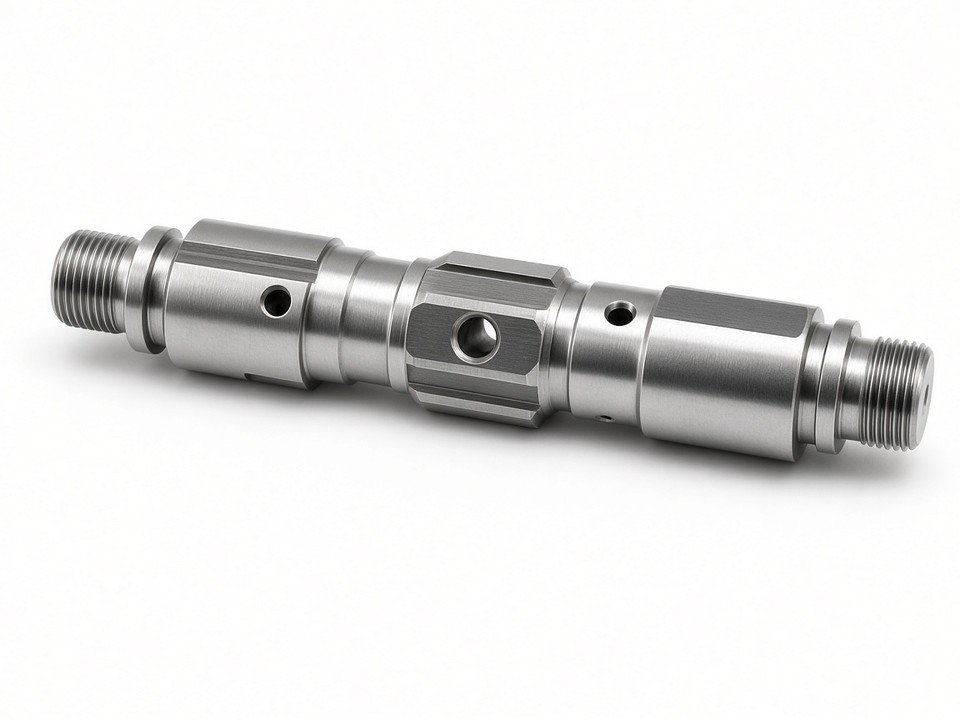
Live tooling is a turret-mounted, powered cutter that rotates on its own drive while the workpiece is held in the spindle. It suits shafts, bushings, sleeves, connectors and housings that need features beyond simple turning. Its main benefit is that turned and milled features can be machined in one setup, which means fewer part transfers and fewer chances for alignment error between operations.
The trade-offs are real. A lathe's driven-tool system is generally less rigid and less powerful than a dedicated machining center, tool reach is limited by turret geometry, and cycle time depends on the whole process rather than cutting alone. In our shop we treat live tooling as a strong option for suitable features, not a universal replacement for milling.
Turned and milled features in one setup
Cross-holes, face holes and flats can be added without moving the part to another machine.
Machine capability limits matter
Axes, spindle power, tool overhang and turret layout set what is achievable.
Accuracy and cycle time need checking
Fewer setups help, but only a full process review confirms the real gain.
What Is Live Tooling on a CNC Lathe?
Live tooling refers to powered tools mounted in the lathe's turret. Unlike a static turning tool, which only cuts when the spindle rotates the workpiece past it, a live tool has its own drive and rotates independently of the main spindle. That rotation allows drilling, milling, tapping and related operations on the face or circumference of a turned part.
To machine a feature, the controller positions the workpiece and the tool together. The part is oriented to the correct angle, the driven tool is brought to the target location, and the cut is made. This is what lets a lathe produce features that would otherwise require a mill.
Terminology note
Live tooling is a machine capability. It is not a synonym for every turn-mill or multitasking machine. A lathe with live tooling may or may not have a Y-axis, a sub-spindle or a full milling envelope, so the specific configuration matters more than the label.
Shop context
YJCNC machining context
- YJCNC is a mid/small CNC shop serving English-language B2B buyers with no MOQ.
- Sample and production lots often complete in about 3–7 days when material is available.
- DFM review from drawings is offered before locking process plans; certificates include ISO 9001, ISO 14001, AS9100D, ISO 13485, and IATF 16949 within scope.
How Live Tooling Works: Turret, C-Axis, Y-Axis, and Sub-Spindle
The turret holds several tools and indexes the required one into the cutting position. For live tooling, one or more stations carry a driven holder, and the tool spindle powers the cutter. The turret indexes the holder into place, and the tool spindle then runs at the programmed speed, typically driven through the machine's own power and control system.
The C-axis is what makes precise feature placement possible. It rotates the main spindle to an exact angular position, so a cross-hole can be drilled at a specific clock position or a flat can be milled at a defined orientation. Without a C-axis, the part cannot be indexed to a precise angle for milling-type features.
A Y-axis adds movement perpendicular to the lathe's X and Z axes. It becomes valuable when the feature sits off the centerline of the part, such as an off-center hole or a slot that is not on the axis of rotation. When the feature is on center or can be reached with X and Z motion alone, a Y-axis may not be necessary.
A sub-spindle can take over the part after the first side is complete. This transfer allows the opposite end to be machined in the same cycle, with the part supported by the second spindle. It is a useful route for double-ended parts, though it depends on the machine's transfer capability and fixturing.
Confirm before quoting
Machine configurations vary widely. Available axes, C-axis synchronization, Y-axis travel and sub-spindle capability should be confirmed for each job, not assumed from the machine category.
What Can You Machine with Live Tooling?
Driven tools can produce cross-holes, face holes, slots, flats and other non-turned features on a turned part. The most common operations are drilling, tapping, milling, counterboring and rotary broaching. Each one places different demands on the tool, the spindle drive and the axes, so it helps to match the feature to the process before you finalize the design.
Drilling and Tapping
Cross-holes and face holes are often drilled with a driven drill, with the C-axis positioning the feature. Tapping is typically synchronized with the spindle so thread pitch stays controlled.
Milling Flats and Slots
Flats and slots use an end mill on the driven tool. Their orientation depends on C-axis indexing, and off-center slots may require Y-axis travel to reach the correct position.
Counterboring
Counterbores enlarge the entry of a hole to seat a fastener head. They are usually planned alongside the drilled hole so that the feature sequence and tool access stay manageable.
Rotary Broaching
Rotary broaching uses a driven tool to cut non-round or keyed profiles. It is well suited to features where a broach-style profile is needed within a turned part.
The table below links typical features to their toolpaths and the axes they usually need. Treat it as a planning guide. The final requirement depends on the machine, the tool holder and the part geometry.
| Feature | Typical toolpath | Axis requirement |
|---|---|---|
| Radial cross-hole | Driven drill fed radially into the part | C-axis for angular placement |
| Face hole | Axial drilling on the end face | C-axis, with X and Z motion |
| Off-center hole or slot | Milling or drilling away from the centerline | C-axis plus Y-axis |
| Flat on the circumference | End milling at a set angle | C-axis for orientation |
| Tapped hole | Synchronized tapping in the driven spindle | C-axis synchronized with tool spindle |
Difficult geometries
Some geometries are difficult to produce with live tooling, usually because of limited tool reach, clearance or workpiece access. Review these early in the design process:
Deep features far from the turret
Long tool overhang reduces rigidity and limits achievable depth.
Features hidden by the part body or flange
Clearance against the chuck, jaws or shoulders may block the tool path.
Multi-face features needing re-clamping
Features on several sides may require a second setup or a different machine.
Live Tooling vs. Static Tooling, a Live Center, and a Separate Mill
These terms are often confused on the shop floor, so it helps to separate them. Static turning tools do not rotate under their own power, and they remove material as the spindle turns the part. Live tools are powered cutters that generate their own cutting motion. A live center is different again: it is a support device in the tailstock that holds a rotating workpiece, and it does not cut at all.
| Item | Does it rotate under its own power? | Role in machining |
|---|---|---|
| Static turning tool | No | Turns diameters, faces and profiles on the rotating part |
| Live (driven) tool | Yes | Drills, mills, taps and performs related features |
| Live center | Supports a rotating workpiece | Holds the part; does not cut |
The alternative to live tooling is transferring the part to a separate milling machine or a secondary operation. That means a second fixture, a second program, a second setup and a second round of alignment checks. Whether that route is better depends on several factors that should be weighed together:
Part geometry
Feature location, depth, and number of faces involved.
Tolerances
Tight relationships between turned and milled features.
Production volume
Run size changes how much setup time is worth eliminating.
Available machine capacity
Open time on a turn-mill may favor one route over another.
Why Machine Features in One Setup?
Every transfer between machines is an opportunity for handling damage, lost time and error. Keeping the part in one setup removes several of these risks at once. The benefits generally fall into four areas, especially when Turning is the primary process and milling features are added without a transfer.
Less handling and work-in-process
Fewer moves between machines reduce queue time and the number of parts waiting on the floor.
Retained workholding
Machining turned and milled features under the same workholding helps keep their relationship consistent.
Traceability and floor space
One machine and one program per part simplify records and can reduce the footprint of the operation.
Fewer setup error opportunities
Each additional setup adds a chance for offset, datum or clamping mistakes.
Important
Fewer setups do not automatically mean a shorter cycle or a lower total cost. A slower driven-tool cut can outweigh the saved transfer time, so the gain must be measured on the actual part.
Live Tooling Limitations and Machining Considerations
A driven-tool system on a lathe is designed to add milling and drilling capability to turning, not to replicate a dedicated machining center. Compared with a machining center, the turret-driven tool typically offers less rigidity, less spindle power and lower maximum speeds, and it carries a limited number of tools. These differences shape which features are practical and how aggressively they can be cut.
Material, cutter diameter, tool overhang and feature depth all affect the achievable cutting parameters. A small drill with a long overhang may need reduced feed to avoid deflection, while a shallow flat in a free-machining material may run comfortably. We set parameters from the actual tool stick-out and the feature, not from the machine's maximum ratings.
Watch for
Chip evacuation, coolant delivery, tool access and workholding can each change the quality of a live-tooled feature. A chip packed inside a blind hole or a coolant jet that misses the cutting zone can cause breakage or poor finish even when the program is correct.
Consider another process when a job involves any of the following conditions:
Complex geometry
Compound angles or sculpted surfaces that exceed the lathe's motion envelope.
Tight milling tolerances
Demanding positional or profile tolerances may be better held on a dedicated mill.
Heavy material removal
Large milling volumes are usually better suited to a machine with more rigidity and power.
Live Tool Holders and Machine Interfaces
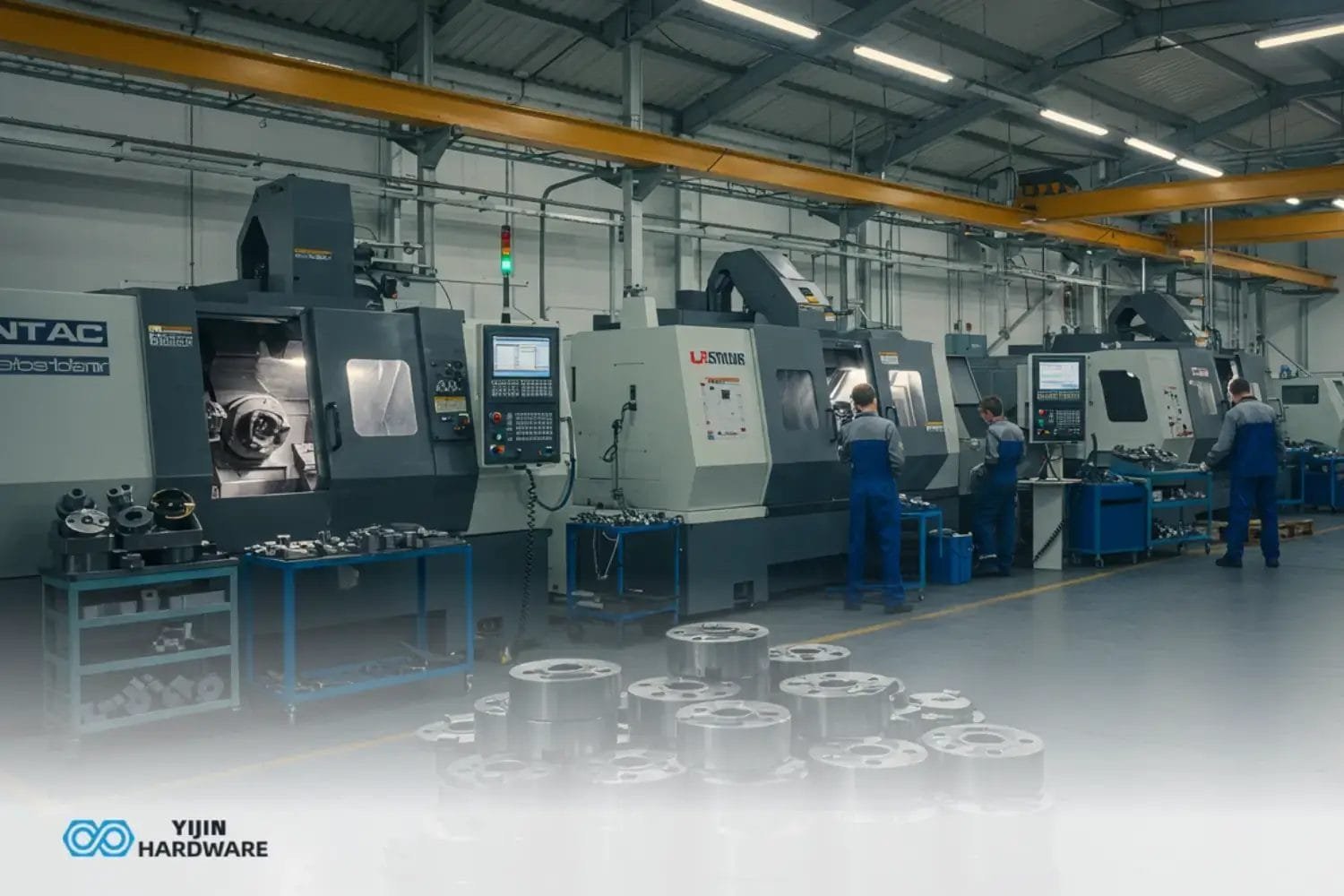
A driven-tool holder is the link between the lathe's turret and the cutter. It transfers rotation from the machine's tool drive to the collet or chuck that grips the tool, and it must hold the tool securely at the correct height and angle. The holder type therefore influences rigidity, the reach you can achieve and which turret stations are available. Background on driven-tool arrangements is summarized under Live tooling.
Two widely used driven-tool interface families are BMT and VDI. Both mount to the turret in a standardized way, but they differ in mounting arrangement and in the holders available for a given machine. Compatibility is always machine-specific, so the choice should be confirmed against the lathe's turret and the machine builder's guidance.
| Consideration | BMT interface | VDI interface |
|---|---|---|
| Mounting approach | Holder clamps to the turret face as a unit | Holder seats and clamps to the turret station |
| Rigidity considerations | Depends on holder design and clamping quality | Depends on holder design and clamping quality |
| Machine compatibility | Confirm against the turret and machine builder | Confirm against the turret and machine builder |
When reviewing a holder for a job, check these items against the part requirements:
Holder type and interface
Must match the turret and be available for the machine.
Spindle speed and torque
Must support the cutter diameter and material being machined.
Tool reach
Overhang must allow the required depth without excessive deflection.
Coolant options
Delivery to the cutting zone affects chip control and tool life.
Programming and Setup for Live Tooling
Live-tooling programs follow a repeatable sequence for each feature. The exact commands depend on the machine control and its configuration, but the logic is consistent across jobs.
Position the tool
Index the driven holder to its station and bring the cutter to a safe clearance point. For slender bar work, weigh this against Swiss-type turning when diameter and length favor a sliding-headstock machine.
Orient or index the workpiece
Use the C-axis to place the feature at the correct angle.
Engage the driven spindle
Start the tool spindle at the programmed speed and direction, and confirm it is running before entry.
Machine the feature and retract
Complete the cut, stop the tool spindle and return to a safe position before the next move.
Before running a new program, verify the postprocessor output carefully. Check tool orientation, offsets, the C-axis reference, and every clearance move, especially rapid moves that leave the part at high speed.
Prove out first
Simulate the full program and run a prove-out on the machine before production. Simulation helps catch collisions, axis limit issues and unexpected interference between the holder, turret, chuck and part.
When Does Live Tooling Make Economic Sense?
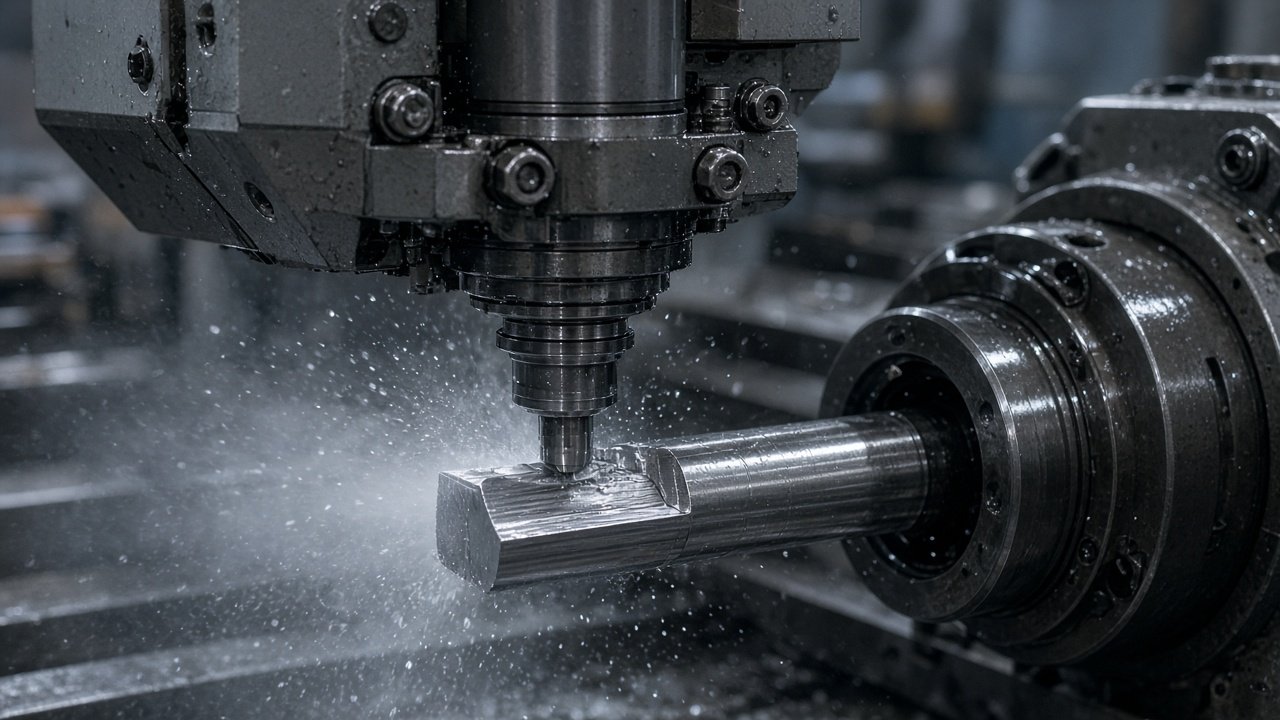
Economic comparisons should use total cycle time, not just cutting time. A live-tooled feature may take longer to cut than the same feature on a machining center, but still win overall if it removes a transfer, a fixture change, a queue and an extra inspection step. Compare the full chain of events for each route.
| Cycle-time element | Single lathe with live tooling | Lathe plus separate mill |
|---|---|---|
| Cutting time | Often slower per feature due to driven-tool limits | Can be faster on suitable milling features |
| Transfers and queueing | Eliminated for the part | Added between operations |
| Setup and alignment | One setup | Two or more setups |
| Inspection touchpoints | Can be planned around one fixture | Often needed after each operation |
The break-even point shifts with production volume, how often setups occur, labor availability, machine availability and the risk of tolerance problems between features. High-volume runs of a repeat part can justify a dedicated process flow, while low-volume prototypes may be best made on a single turn-mill to avoid multiple fixtures.
A separate mill or secondary operation is often more efficient when the milled features are large, the tolerances are demanding, the tool access is difficult, or a more suitable machine is available with open capacity. There is no fixed rule, which is why we recommend evaluating representative cycle-time estimates and quality costs before committing to a route.
Practical tip
Run a short trial on a representative part with both routes. Record cutting time, handling time, queue time and first-article inspection results. Two or three pieces are often enough to show which route is more economical for your drawing.
How to Specify a Live-Tooling Job or CNC Lathe
A clear request speeds up the review and reduces surprises at the machine. When you send a drawing for a live-tooling job, include the following information.
Part features and materials
Describe every turned and milled feature, with the material and its condition.
Tolerances and surface finish
Identify critical dimensions and the finish needed on each feature.
Production quantity
State prototype, repeat or production volumes so the process route can be chosen sensibly.
Axes, sub-spindle and driven-tool needs
Note whether a Y-axis, C-axis or sub-spindle transfer is required, and the tool power the features demand.
Workholding and tool access
Flag features that may be obstructed by the chuck, jaws or part shape.
Discuss datum strategy, inspection approach and the critical relationships between features with your machinist or supplier early in the project. Decide which features must be held relative to each other and how they will be measured. Where setup reliability or throughput depends on it, also raise simulation, probing and automation needs.
At YJCNC, our listed equipment includes 15 CNC turn-mill machines with a listed precision of ±0.01 mm, along with CNC lathes, Swiss-type lathes and CNC machining centers. Our inspection resources include a coordinate measuring machine, optical measuring systems, a concentricity measuring instrument and a surface roughness tester. We operate under quality management systems certified to ISO 9001, ISO 13485 and AS9100D, subject to the scope of each certification.
Trends in Turn-Mill Machining
Interest in multitasking machines that combine turning, milling and part transfer continues to grow. Buyers want fewer handoffs and more features completed in a single cycle, particularly for parts that would otherwise travel between several machines. The approach works best when the part family is well defined and the process is stable.
Probing, tool monitoring and digital simulation are also supporting setup verification and process control. Probing can confirm workpiece position and key dimensions, tool monitoring can flag unexpected load changes, and simulation can catch collisions before the first chip is cut. Together these tools make a turn-mill process easier to repeat from one batch to the next.
Automation can improve unattended production when part geometry and process stability allow it. Stable, well-proven programs on consistent stock are the best candidates. Parts with frequent design changes or variable features are usually better run with closer supervision until the process is fully proven.
Frequently Asked Questions About Live Tooling
What is live tooling on a CNC lathe?
Live tooling is a powered cutter mounted in the lathe's turret that rotates independently of the spindle to drill, mill or tap features. Static tooling, by contrast, does not rotate under its own power and is used for turning.
Do you need a Y-axis for live tooling?
A Y-axis is generally needed for off-center features, such as holes or slots that sit away from the part's centerline. Features on center, or reachable with X and Z motion alone, can often be machined without one.
What is the difference between live tooling and a live center?
Live tooling cuts material with a powered tool. A live center is a support device that holds a rotating workpiece and does not cut. The two serve entirely different roles.
Can live tooling replace a second machining operation?
It can for suitable features, removing a transfer and a setup. Whether it should depends on feature complexity, machine capacity and the cycle-time economics of the full process.
Can live tooling be added to an existing CNC lathe?
Compatibility depends on the machine's turret, drive system, control, available axes and the support offered by the manufacturer. Some lathes can be configured this way, while others cannot, so the machine builder should be consulted first.
Is a live-tooling lathe always faster or more accurate?
No. Fewer setups can reduce handling and alignment risk, but cycle time and accuracy depend on the complete process, including tool reach, cutting parameters, workholding and inspection.
When should a part be machined on a dedicated mill instead?
Consider a dedicated mill for heavy milling, demanding tolerances, difficult tool access or when a more suitable machine has open capacity. Reviewing a trial run on both routes is the most reliable way to decide.
Start Your Project
Send Us Your Drawing for a Turn-Mill Review
Share your drawing, material, tolerances and quantities, and our engineers will review whether live tooling, a turn-mill setup or a separate process is the most practical route. Contact YJCNC to discuss your project or request a CNC machining quotation.
Request a QuotationYJCNC is certified to ISO 9001 (HIC241500), ISO 14001 (HIC241501), AS9100D/EN9100 (CN044900), ISO 13485 (04526MDQ00014R100), and IATF 16949 (0565487). Confirm which certificates apply to your drawing package and end-use before release.